Create a plain-text version of an HTML email
When sending an HTML email, it's a good idea to also provide a plaintext version of the email — it's often used by email clients and accessibility tools to give users a better understanding of the contents of the email.
If you don't provide a plaintext version, Gmail and other email clients will try to generate a version of their own. This often leads to mangled or confusing text that can be confusing for the reader.
How to create a plain-text version
Thankfully, EcoSend makes it easy to generate a plaintext version of your HTML emails:
- Just head to the Message Composer.
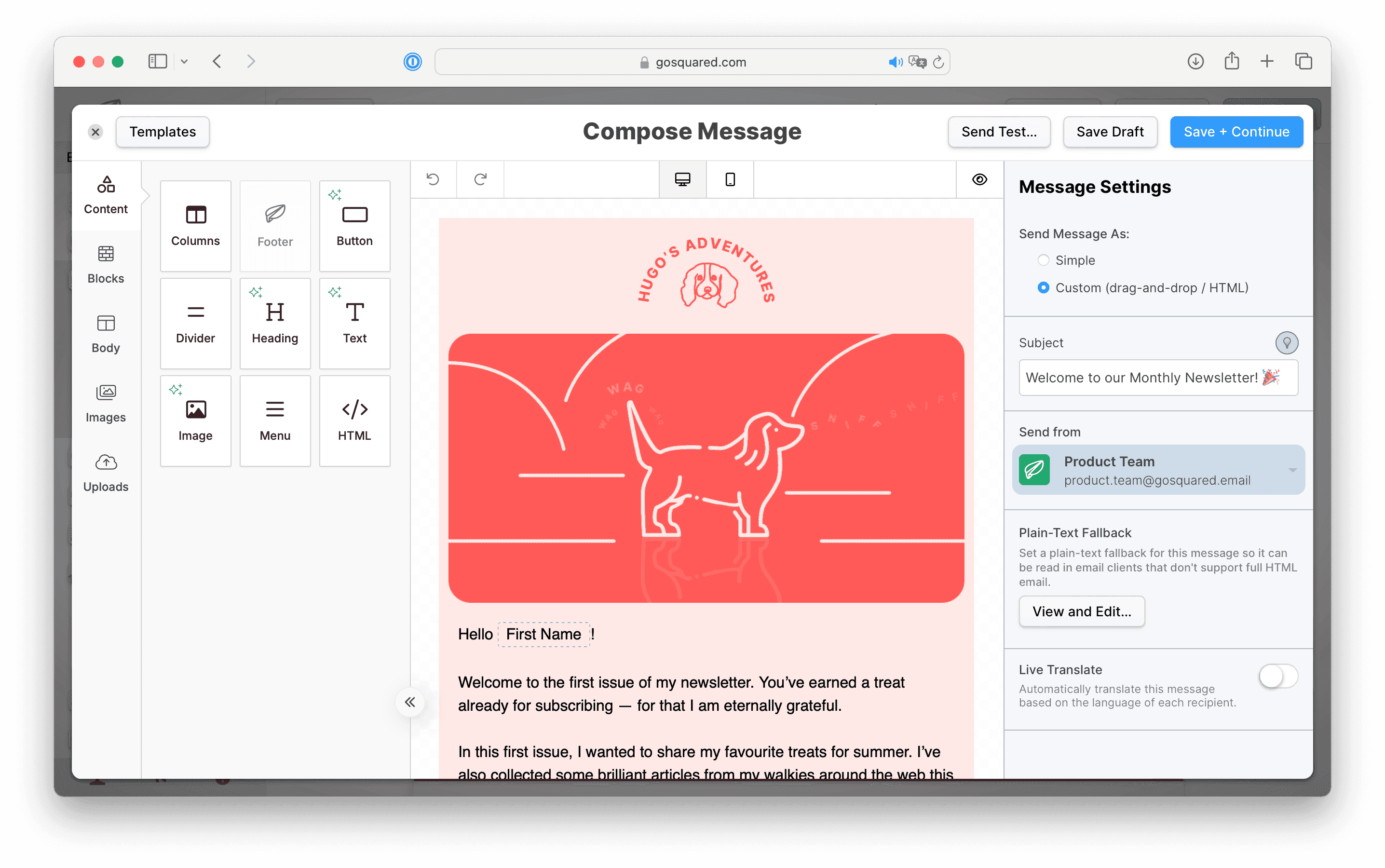
- In the sidebar on the right you'll find a section for "Plain-Text Fallback".
- Choose "View and Edit..."
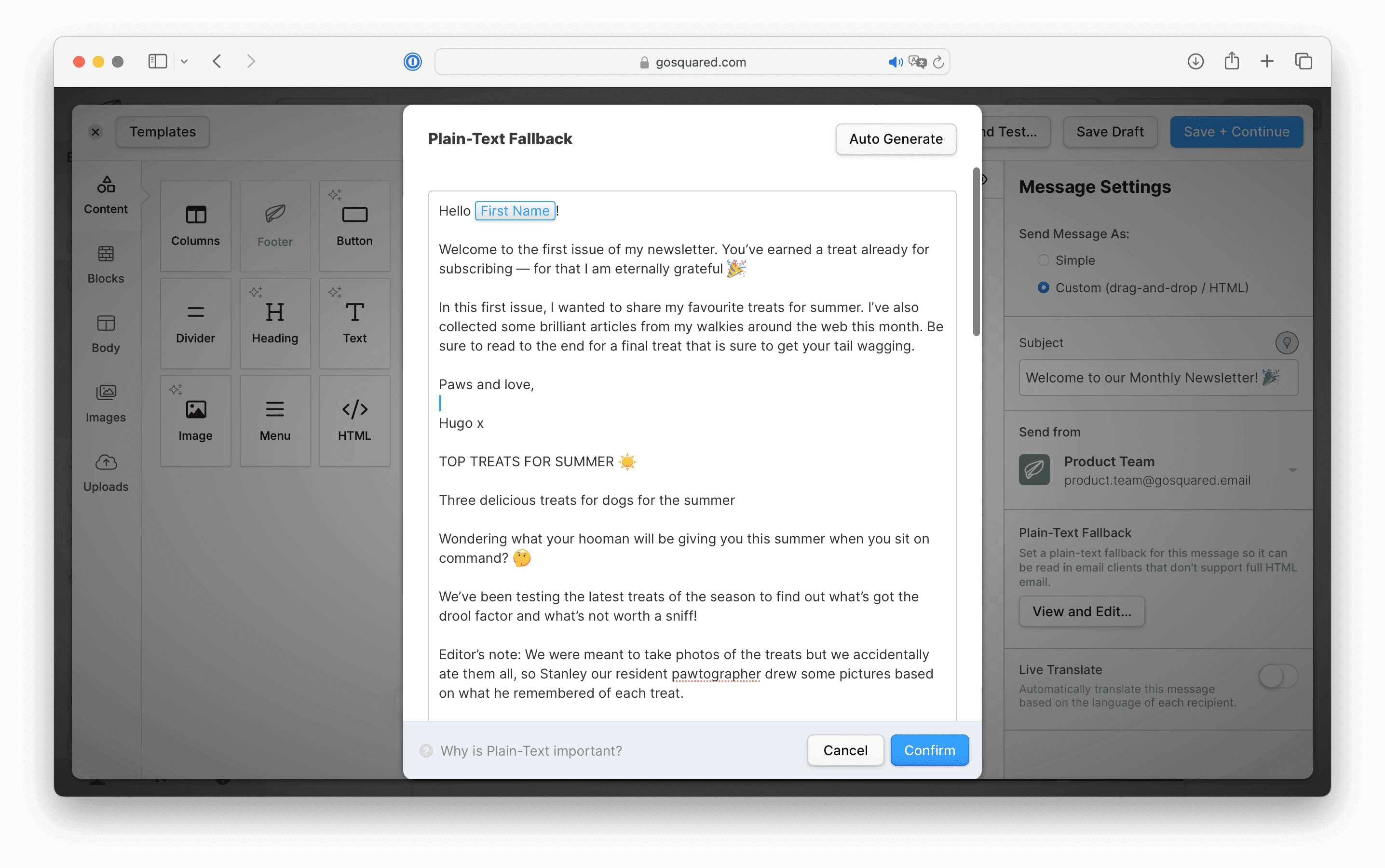
- In the Plain-Text Fallback modal you'll see the plain-text version of the email EcoSend will send.
- Hit "Auto Generate" to automatically create a plain-text version of the email based on your latest HTML content.
- You can also manually edit and tweak the plain-text version to further improve and simplify your content.
- Hit "Confirm" to update the plain-text version.
- Hit "Save Draft" to save your changes before sending.
Last updated December 2025