Make your emails accessible to everyone
Accessibility is often treated as a “nice to have” — something that is cut when budgets and deadlines are tight. Not us.
We strive to make every aspect of EcoSend as accessible as possible.
Whether it's our website, this documentation, our email builder, or the emails you send — we're always looking for ways to make the platform as easy as possible for as many people as possible to use.
When it comes to your emails, we believe everyone should be able to receive, read, and use the emails you send.
Particularly for teams working in the public sector, government, charities, or councils, accessibility isn’t just best practice, it’s a requirement.
What is email accessibility?
At its core, accessibility in the field of email means asking:
Can everyone, including people with disabilities, receive, read, and act on the emails we send?
This includes people who:
- Use screen readers
- Have visual impairments
- Have cognitive or learning differences
- Rely on keyboard navigation
Accessible emails are: easy to read, easy to navigate, and clear in meaning.
Creating accessible emails doesn't need to be a complicated task. It’s about making your emails usable.
Why accessibility matters more than ever
For a long time, it was optional whether you made your website and communications accessible, but accessibility expectations have been increasing for years.
Recently, accessibility started to go from "nice to have" to legal obligation, with the European Accessibility Act coming into force across the EU.
While the EAA doesn’t explicitly mention email newsletters, it does apply to digital services and communications.
For more tips and ideas, check out our blog post on making your emails more accessible.
Key accessibility improvements you can make
EcoSend is designed to make it easy to adhere to these steps, but it's good to familiarise yourself with them for all of your work. Here are a few key principles to follow when creating your next email.
1. Use real text (not images of text)
Screen readers struggle with interpreting text embedded in images.
Wherever possible, keep written content as text, and use images for accompanying visuals.
This helps for a number of reasons:
- Screen readers (and therefore recipients) can interpret your content correctly.
- Real text can be scaled up or down to aid reading — text within images cannot.
- In scenarios where images can't be loaded (poor internet connections, corporate environments, strict firewalls), the written message is not lost.
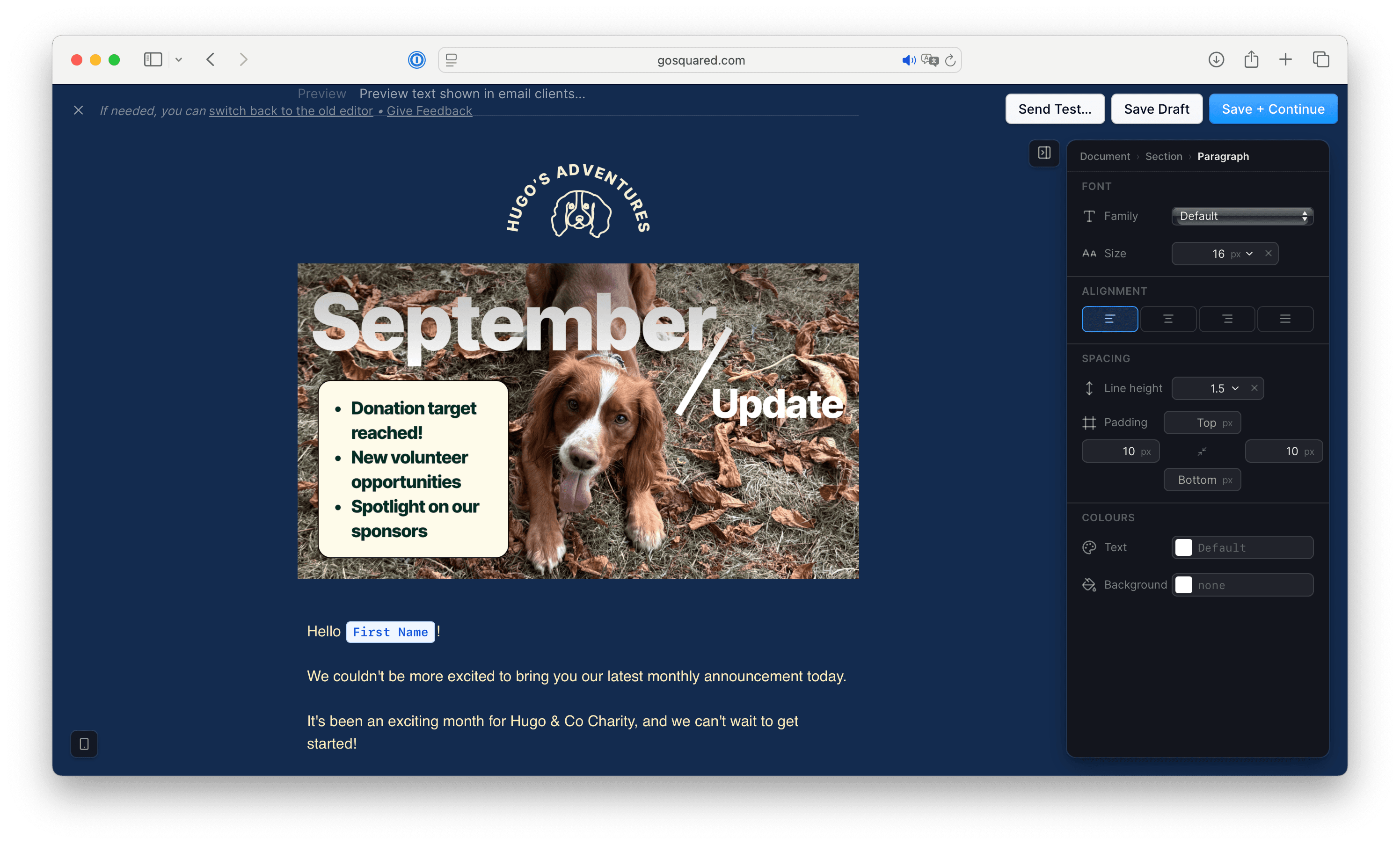
Stop doing this
In this example, the header image has the title and key text within it — which is difficult for screen readers to understand.
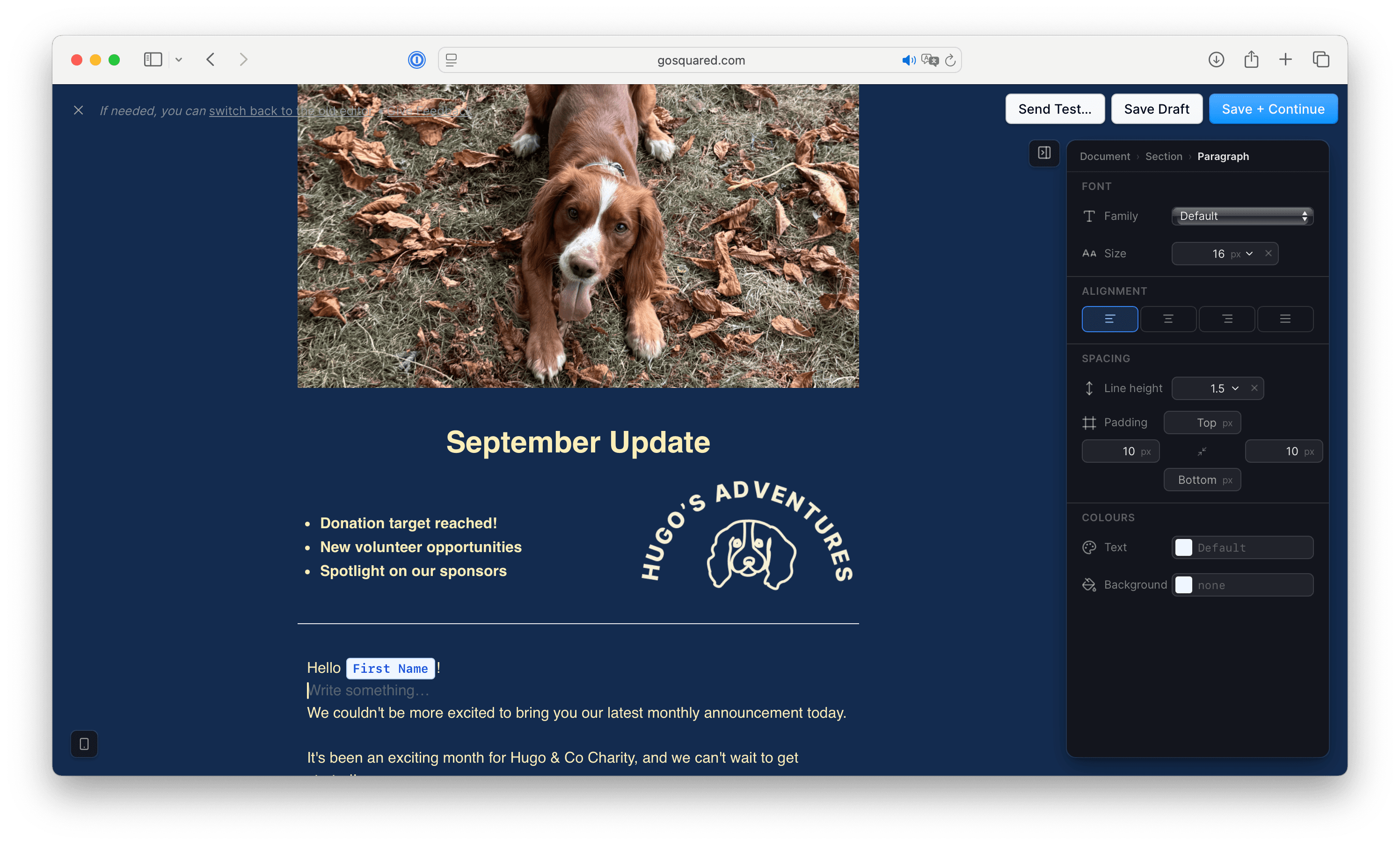
Do this instead
Here, the image has been simplified (to just show Hugo!), and the text has been brought into the email itself. The text can now easily be interpreted by screen readers, and readers can easily select it, copy it, and scale it as they wish.
💡 If text absolutely must appear in an image (for example, a branded graphic), make sure the same information also exists in the alt text of the image, or as text elsewhere in the email.
2. Add alt text to images
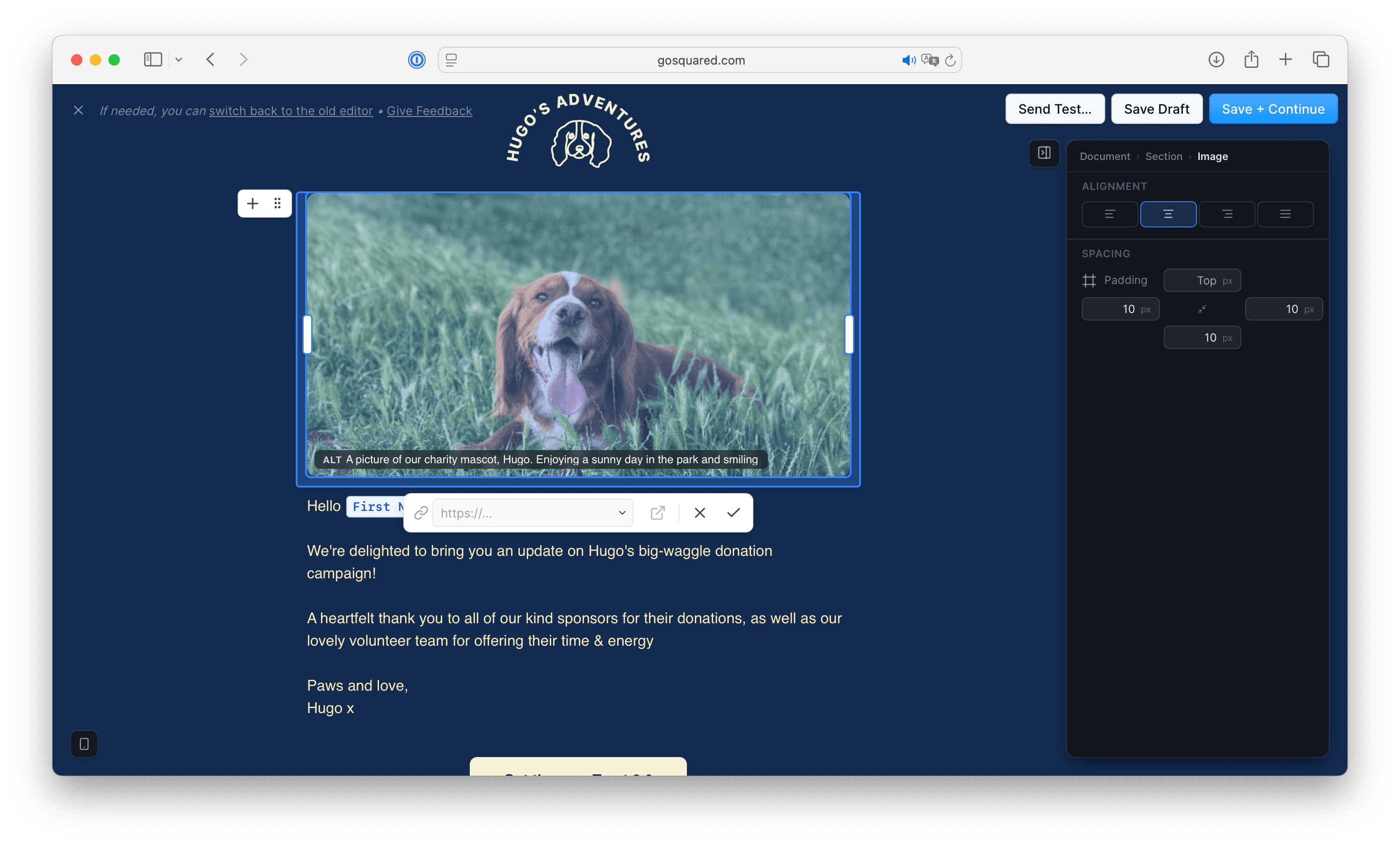
For every image you use, make sure you set its Alt (alternative) text. The alt text should describe the purpose of the image, not just its appearance.
- Worst: No alt text.
- Better: “An image of the park.”
- Best: “A photo of the local park reopening on Saturday.”
Without alt text, assistive technologies may skip or misinterpret the image, which could mislead the reader.
And just as we touched on in the previous step, setting alt text is a good idea for handling the many situations where images may not load — like when recipients are on a slow internet connection, travelling on a subway, or in a corporate environment that blocks images.
Decorative images that add no informational value can use empty alt text so screen readers skip them cleanly.
3. Aim for high contrast between content and background colours
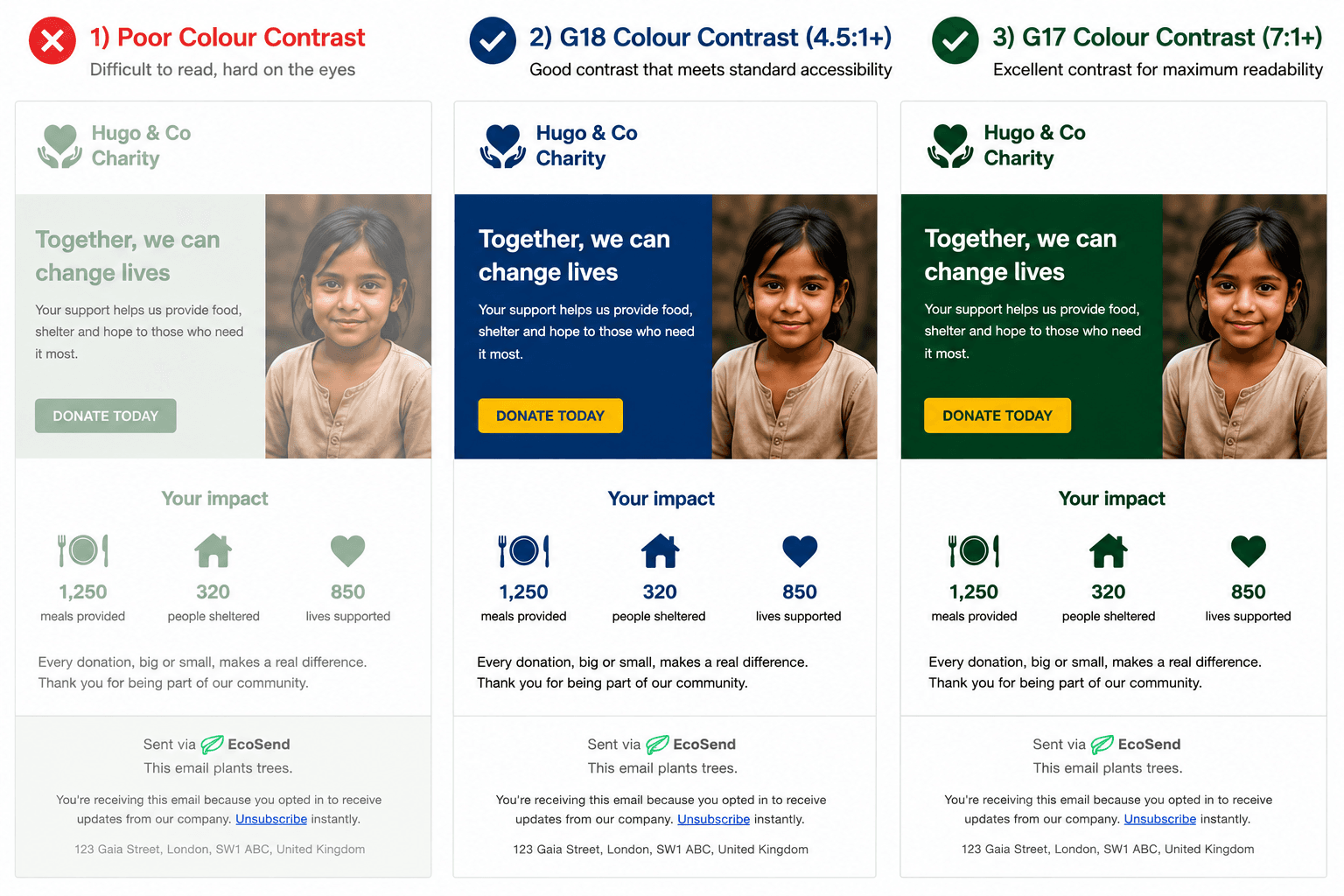
It may sometimes look good to have light grey text on a white background, but low contrast can really impact the readability of your content.
Aim to maximise the contrast between your content and your backgrounds. When in doubt, use dark text on a light background as it improves readability across all devices and environments. There are good reasons why for thousands of years, paper has been light and text has been dark!
If you want to get a little technical, there is a measure for whether your text and background are contrasting enough. It's called "contrast ratio" and the WCAG (Web Content Accessibility Guidelines) outline what "good" looks like.
- A good contrast ratio between your content and your background: 4.5:1.
- Readable for most users.
- The standard minimum requirement for most normal-sized text.
- A great contrast ratio: 7:1.
- Text stands out very clearly from its background.
- Extra readable, especially for users with visual impairments.
| Contrast Ratio | WCAG Accessibility Level | Typical Use |
|---|---|---|
| 4.5:1 | AA | Standard minimum readability requirement |
| 7:1 | AAA | Enhanced readability for users with low vision |
💡 A related tip, use email-safe fonts in your campaigns.
4. Use clear, descriptive links
This is often overlooked, and is another great example of where good accessibility and good practices for everyone completely overlap.
When linking to other content (like videos, web pages, or booking sites), avoid vague phrases like:
- “Click here”
- “Read more”
- "Check it out"
These phrases make little sense when read aloud or scanned out of context.
Instead, write links that clearly describe their destination or action:
- “Donate to the initiative today”
- “View bin collection dates”
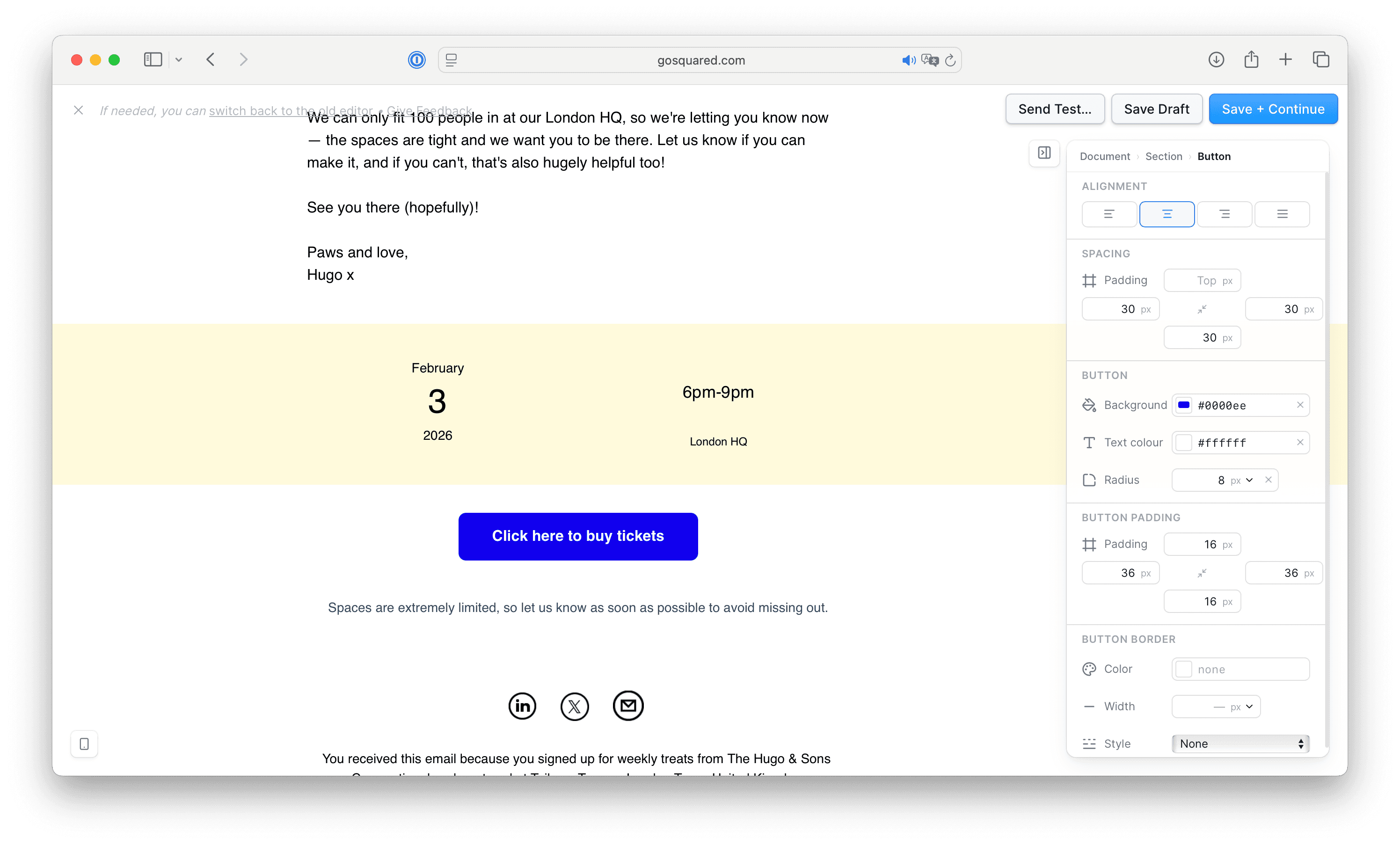
- "Click here to view the schedule"
This improves accessibility, readability, and overall clarity.
5. Keep your structure simple
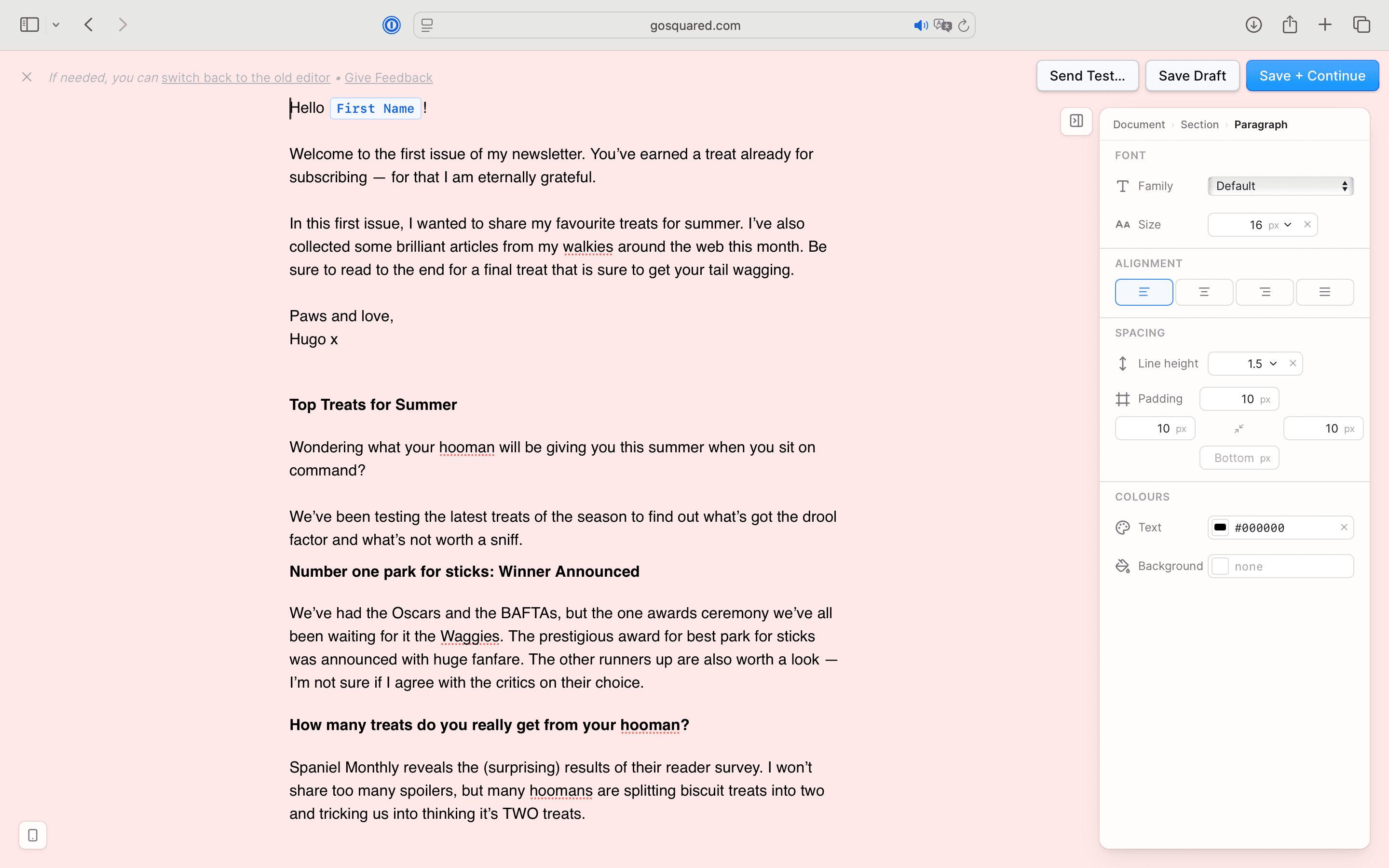
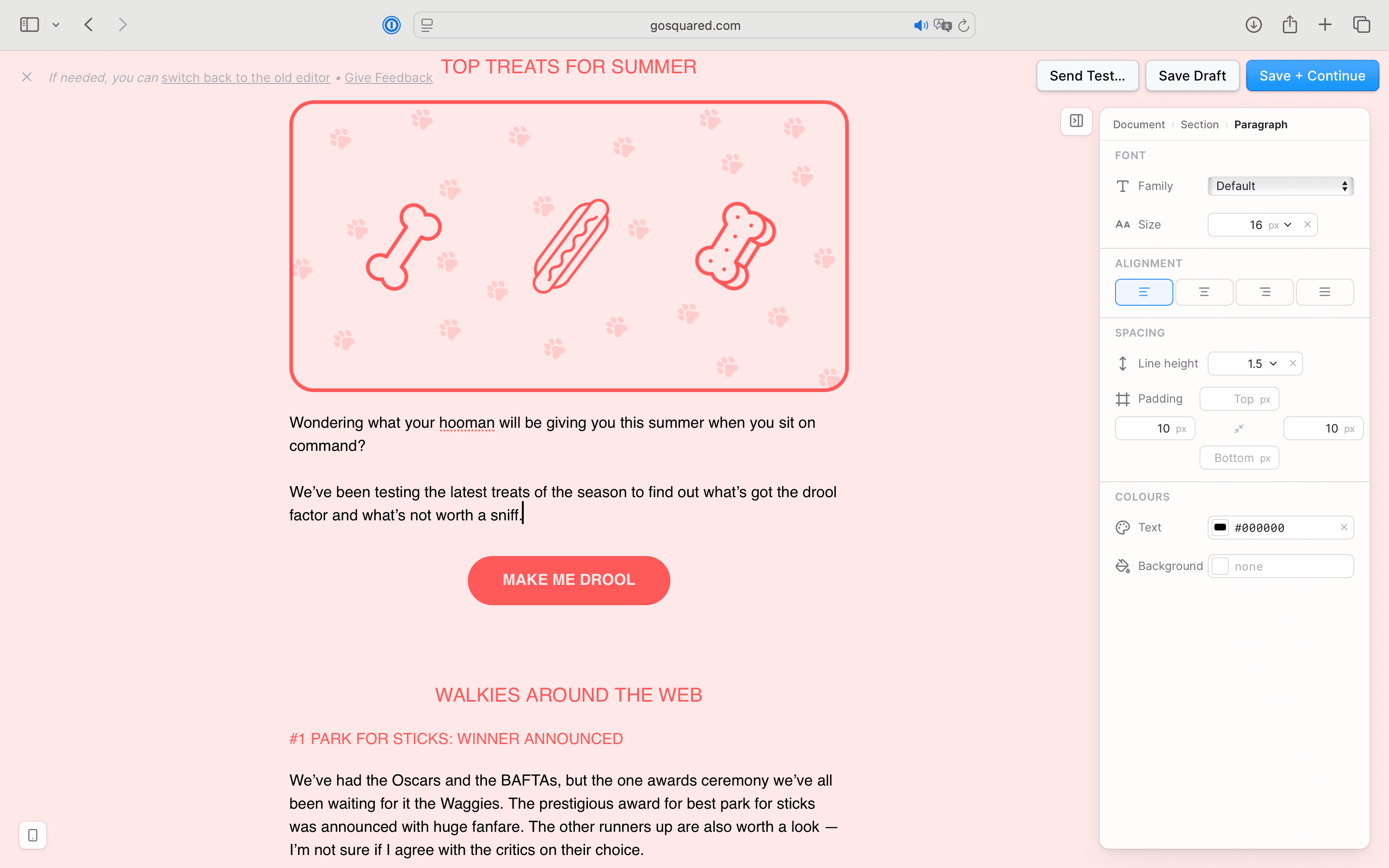
We recommend writing short paragraphs, clear headings, and applying a logical flow to your emails.
A well-structured email helps both readers and assistive technologies navigate content easily.
Think of it like a map: clear signposts (the subject lines and headings) help the reader find what they need quickly.
You might notice that's all the same advice one could give for writing a good email anyway!
Stop doing this
Do this instead
Bonus Tip. Don’t rely only on colour to communicate meaning
Ensure that information conveyed by colour differences is also available in text.
Your recipients may be colour blind, use monochrome screens, have low vision, or use screen readers.
If colour is the only indicator, they may miss important information.
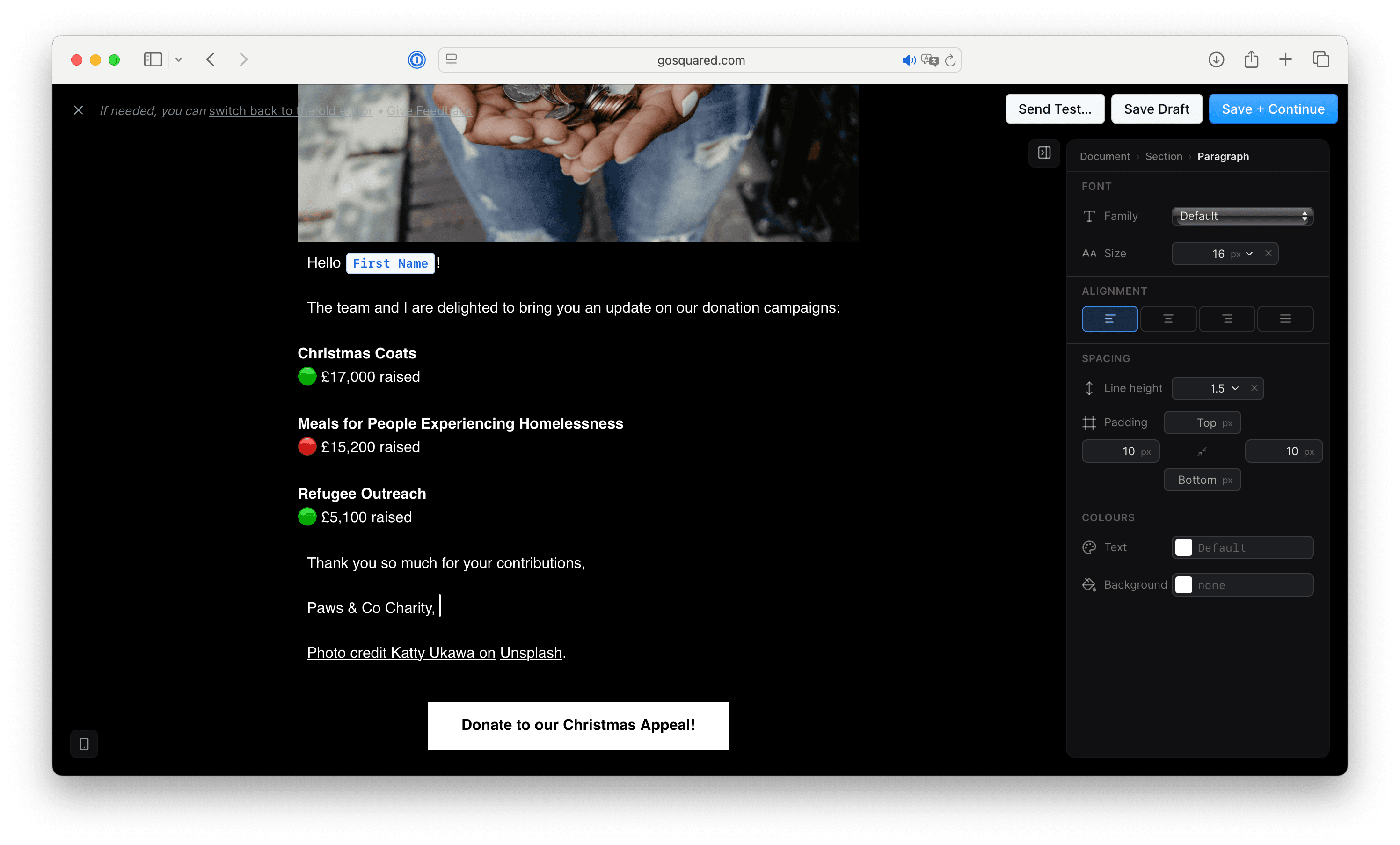
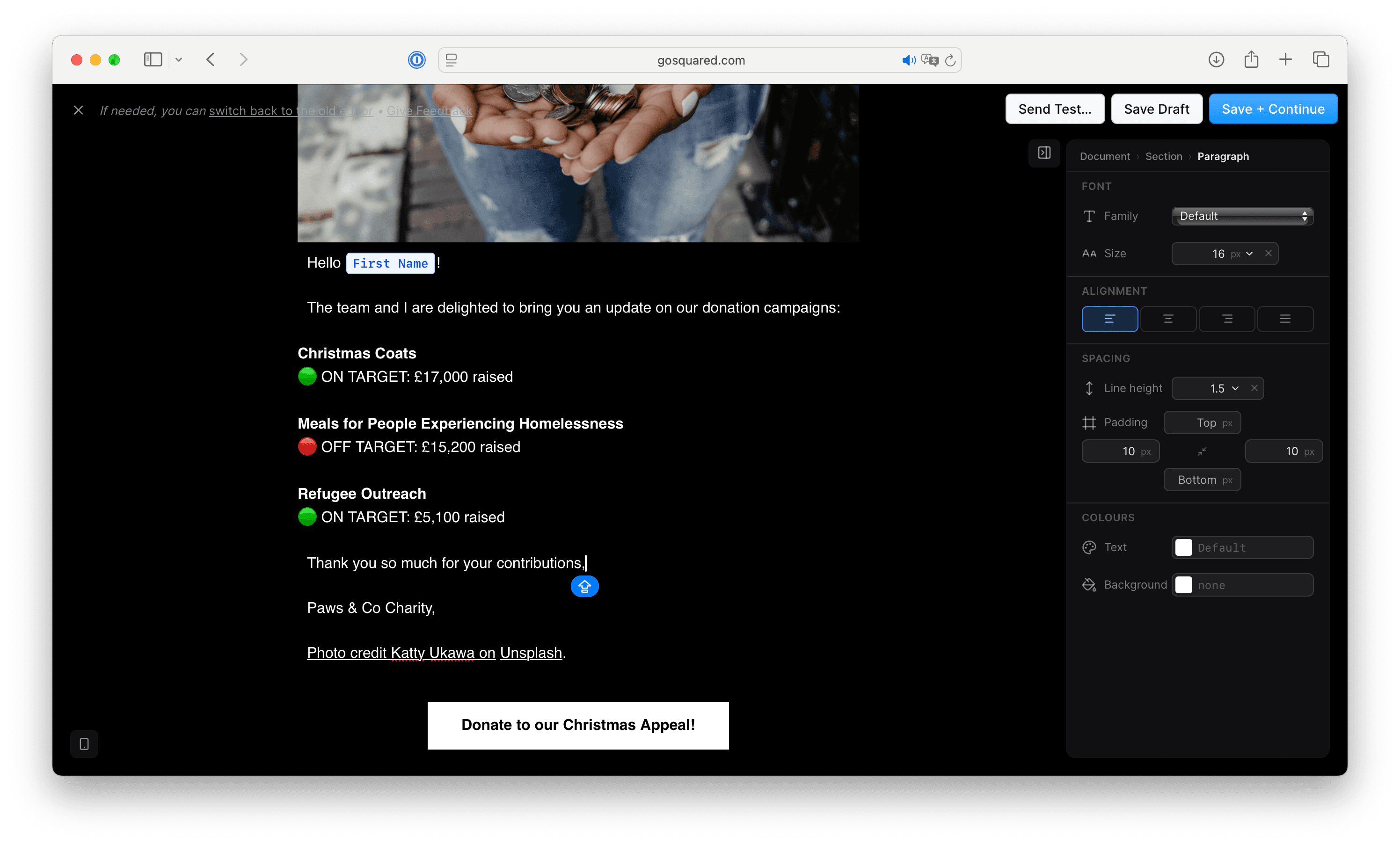
Poor Accessibility Design:
- Green dot to imply active or on-target
- Red dot to imply inactive or off-target
- No labels.
Good Accessibility Design:
- Added text labels:
- 🟢 ACTIVE
- 🔴 INACTIVE
Accessibility benefits everyone
Accessibility isn’t about designing for a minority. It improves the experience for everyone.
Clearer writing, better structure, and more thoughtful design lead to stronger engagement and more effective communication.
Accessible emails are simply better emails.
Last updated June 2026