Convert Hosted Forms into QR Codes
This guide explains how to turn your EcoSend Hosted Forms into QR codes, making it easy for people to access your forms instantly from printed or online materials.
Overview
EcoSend Hosted Forms are accessible via a unique public URL.
By converting this URL into a QR code, you allow users to scan and open your form directly on their device, no typing required!
Method: Use a QR Code Generator (Recommended)
The simplest and most flexible way to create a QR code is by using a QR code generator tool.
Steps
-
Copy your EcoSend hosted form URL
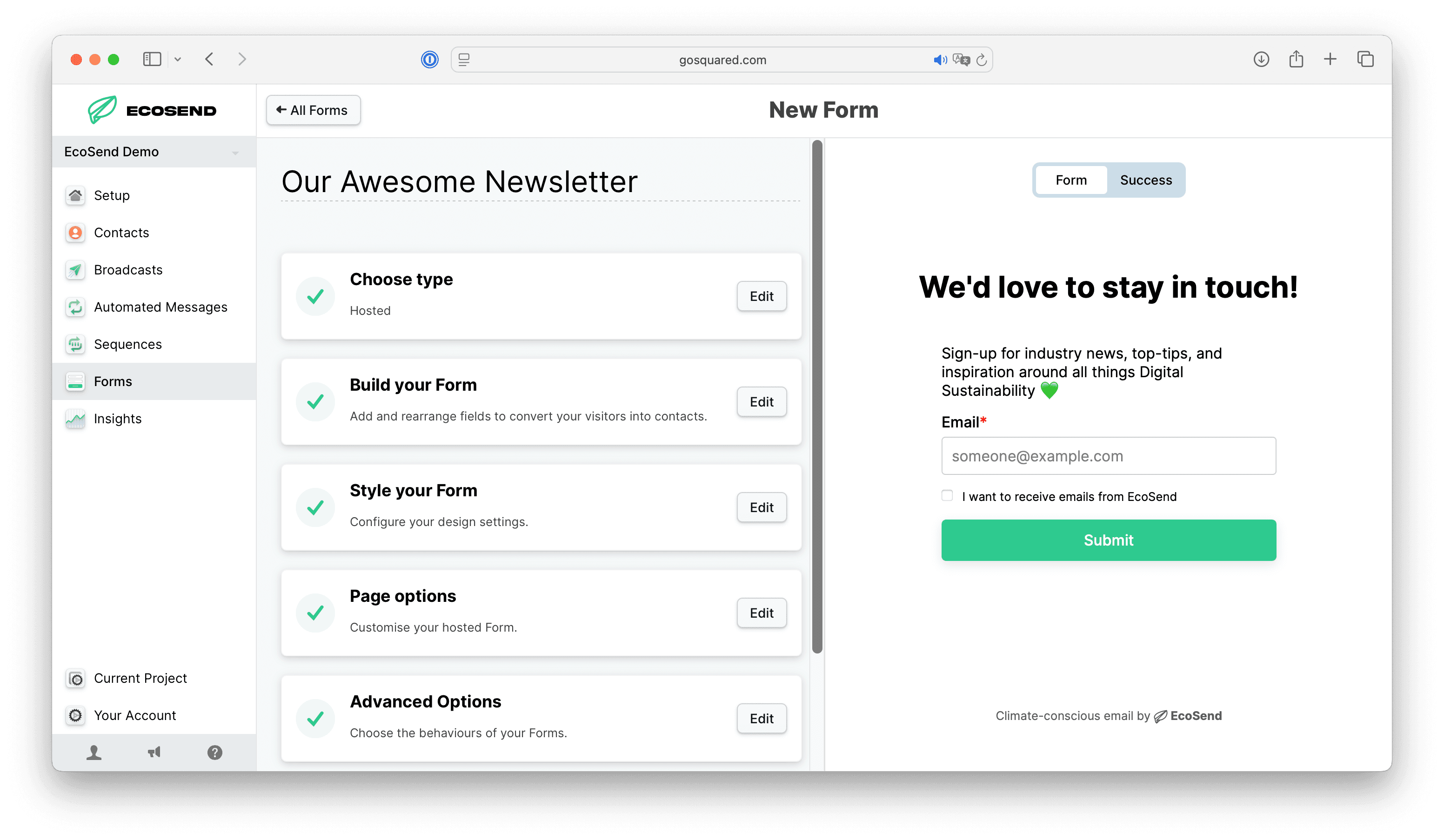
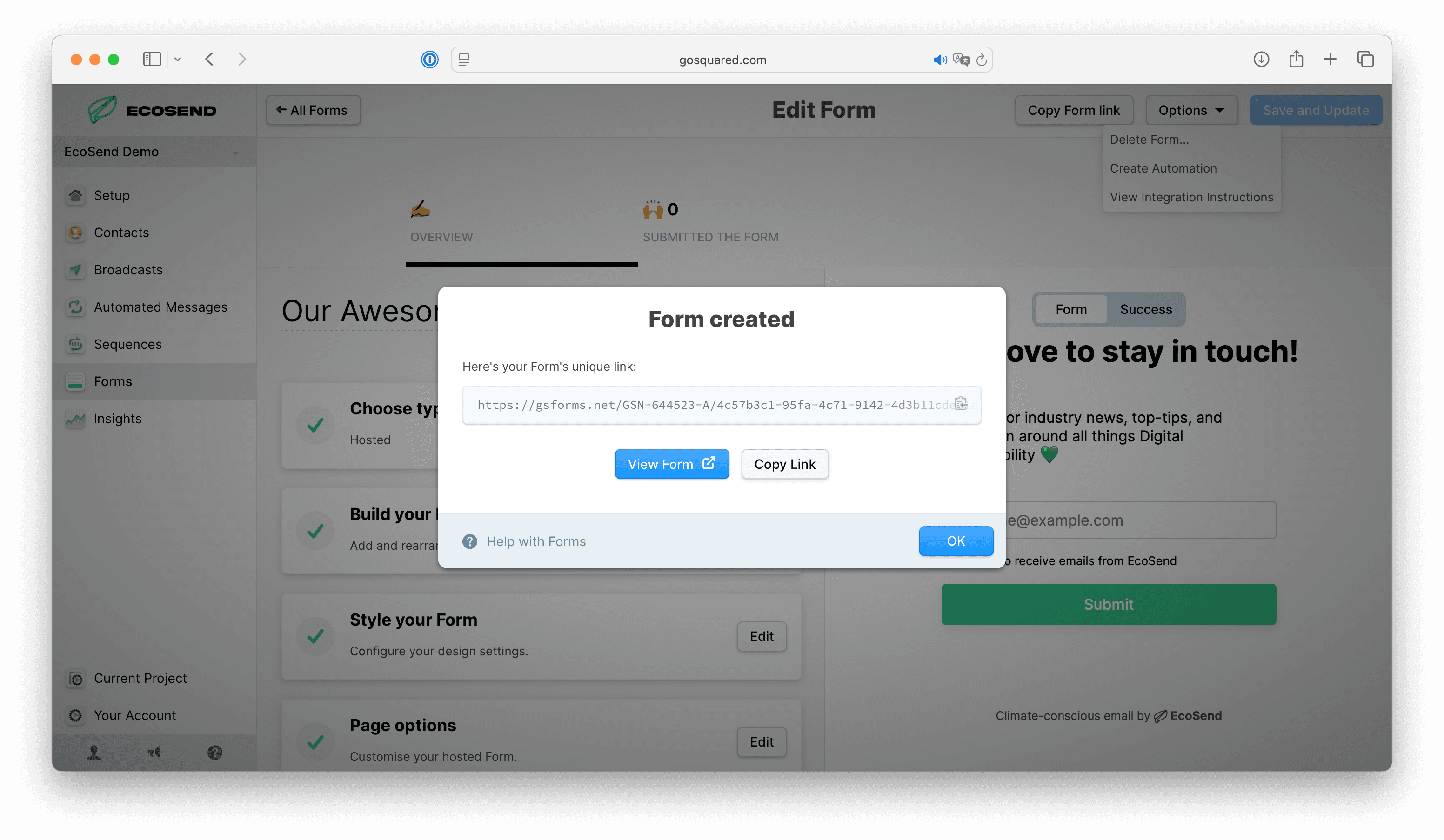
- Select your Form in EcoSend
- Click Options > View Integration Instructions > Copy Link or Copy Form Link
- This copies the URL into your clipboard
-
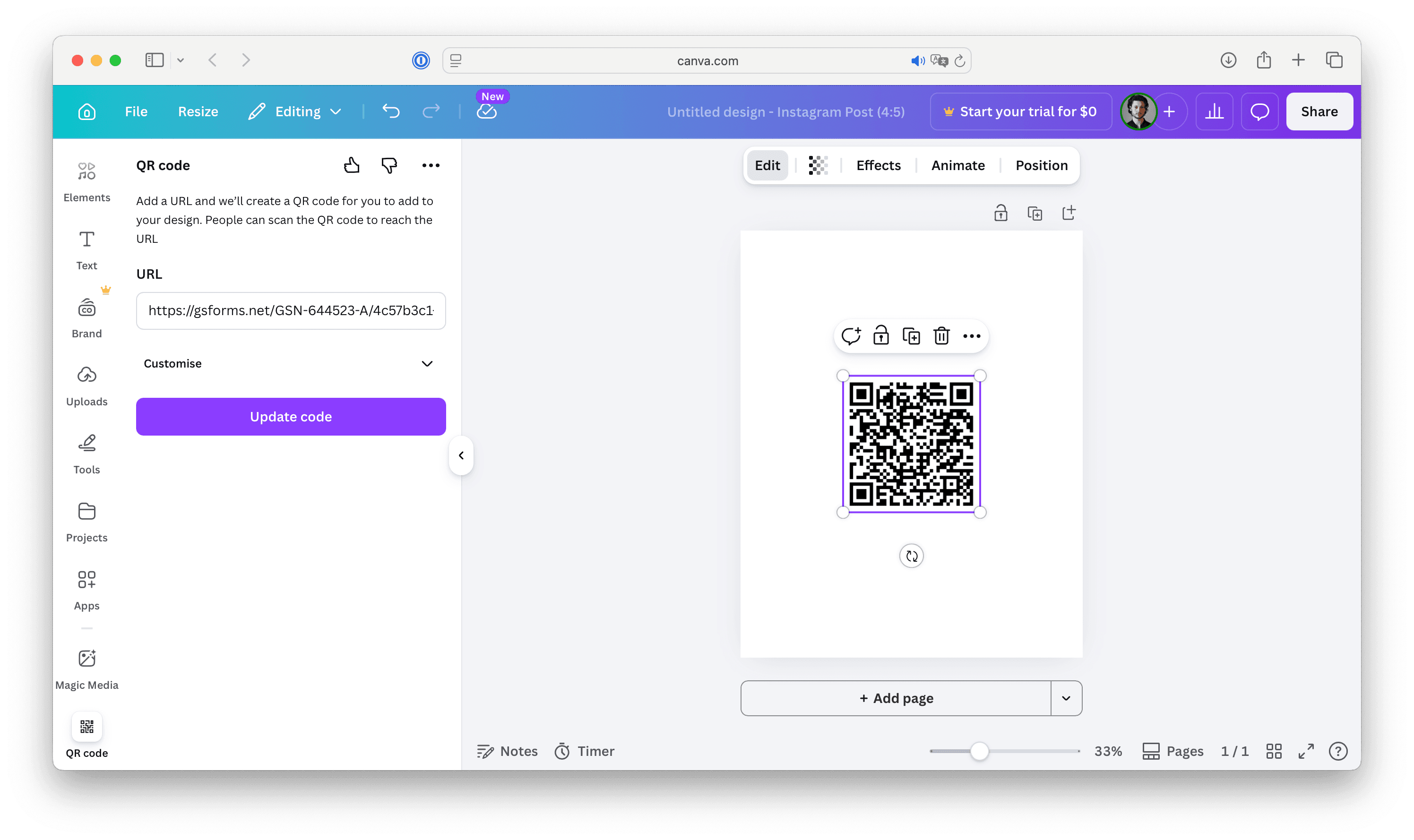
Paste the URL into a QR code generator
- Use any trusted QR code generator (e.g. QRCode Monkey, Google Chrome, Canva, etc.).
-
Customise your QR code (optional)
- Adjust size, colour, or add branding.
-
Download the QR code
- Export as PNG, SVG, or PDF.
-
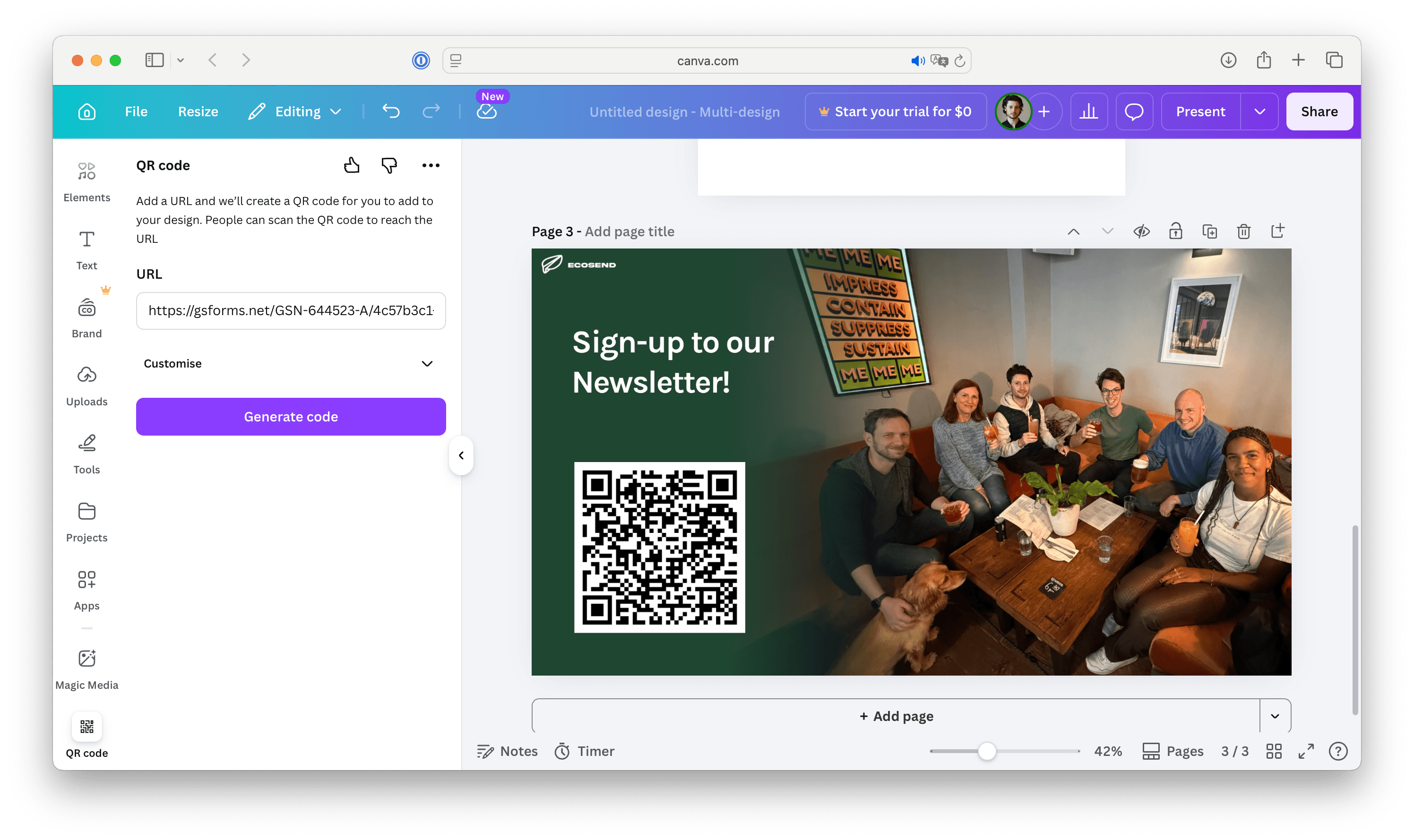
Voilà! Distribute your QR code
- Congrats! Your QR code is ready! Add it to print materials, event signage, packaging, or presentations.
Best Practices
1. Test Before Sharing
Always scan your QR code with multiple devices to confirm it loads correctly.
2. Use High-Resolution Files
For print materials, use SVG or high-resolution PNG files to maintain scan quality.
3. Add Context
Include a short call-to-action near your QR code, such as:
- “Scan to subscribe”
- “Join our mailing list”
- “Give feedback”
💡 Tip: QR codes are simply visual representations of a URL, so as long as your hosted form link is live, the QR code will work.
Common use cases
QR codes for EcoSend Hosted Forms are especially useful for:
- Events and conferences (email capture)
- Retail environments (gathering customer feedback)
- Packaging inserts (offering newsletter sign-ups)
- In-person campaigns (lead generation)
Summary
To convert an EcoSend hosted form into a QR code:
- Copy your form’s public URL
- Generate a QR code using a QR code generator
- Download and distribute it wherever your audience is
This simple workflow helps bridge offline and online engagement, making it easier to grow your audience anywhere 💚
Last updated April 2026