Connect Humanitix via Zapier
About Humanitix
Humanitix is a popular Event ticketing platform, frequently used by charities, B Corps, and other businesses-for-good to promote and sell tickets to their events.
With their slogan 'tickets for good, not greed', Humanitix dedicate 100% of their profits to charitable causes.
With our integration via Zapier, you can ensure all email addresses and relevant data from your Humanitix event attendees is sent into EcoSend Contacts.
This enables you to combine EcoSend's powerful segmentation features with the live-feed from Humanitix, ensuring you send targeted communications to relevant groups.
Common Use-Cases
Some of our most popular use-cases for the EcoSend <> Humanitix integration include:
- Sending segmentated data of ticket-holders and non ticket-holders into EcoSend Contacts, in order to send separate Sales and Upsell campaigns.
- Adding event attendees to your Newsletter List in EcoSend, ensuring you can keep your audience engaged throughout the year, inbetween each event.
- Sending an automated message from EcoSend to new event attendees, with welcome messaging and event information.
- Scheduling pre-determined event reminders and announcements to your event audience.
Integration Requirements
To setup the EcoSend <> Humanitix integration, you will need:
- Your premium EcoSend account
- Your free or premium Humanitix account
- Your Zapier account (you should be able to start with the free plan, although for higher-volume events you may require a paid plan)
- An active Zapier <> EcoSend integration
Setting up the Integration
NB. In order to setup the Humanitix <> EcoSend integration, you must follow the steps below only from the Event Host login in Humanitix. Following the steps from a non-Event Host login will cause the integraiton to fail.
From your Humanitix console of your Event Host login, head to Advanced -> Integrations and the Zapier dropdown.
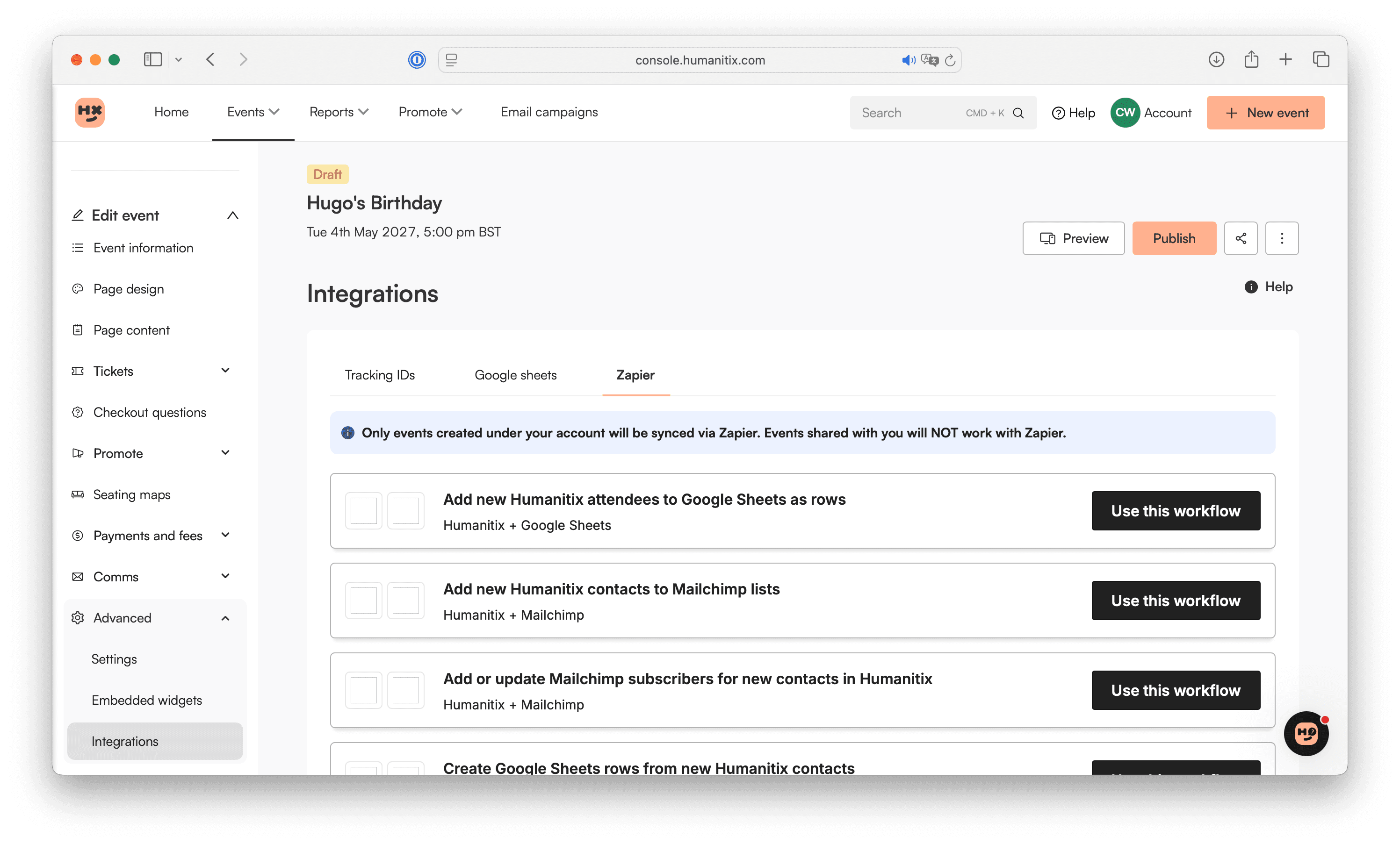
Click Create from scratch. You will be prompted by the pop-up to log-into your Zapier account.
From the Zapier log-in within the Humanitix console, you can now build out your first Zap!
You will authorise the Humanitix <> Zapier connection when you first select Humanitix as a Trigger or Action.
In the example below, we are building out a Zap to send email addresses of new attendees of our Humanitix event into EcoSend.
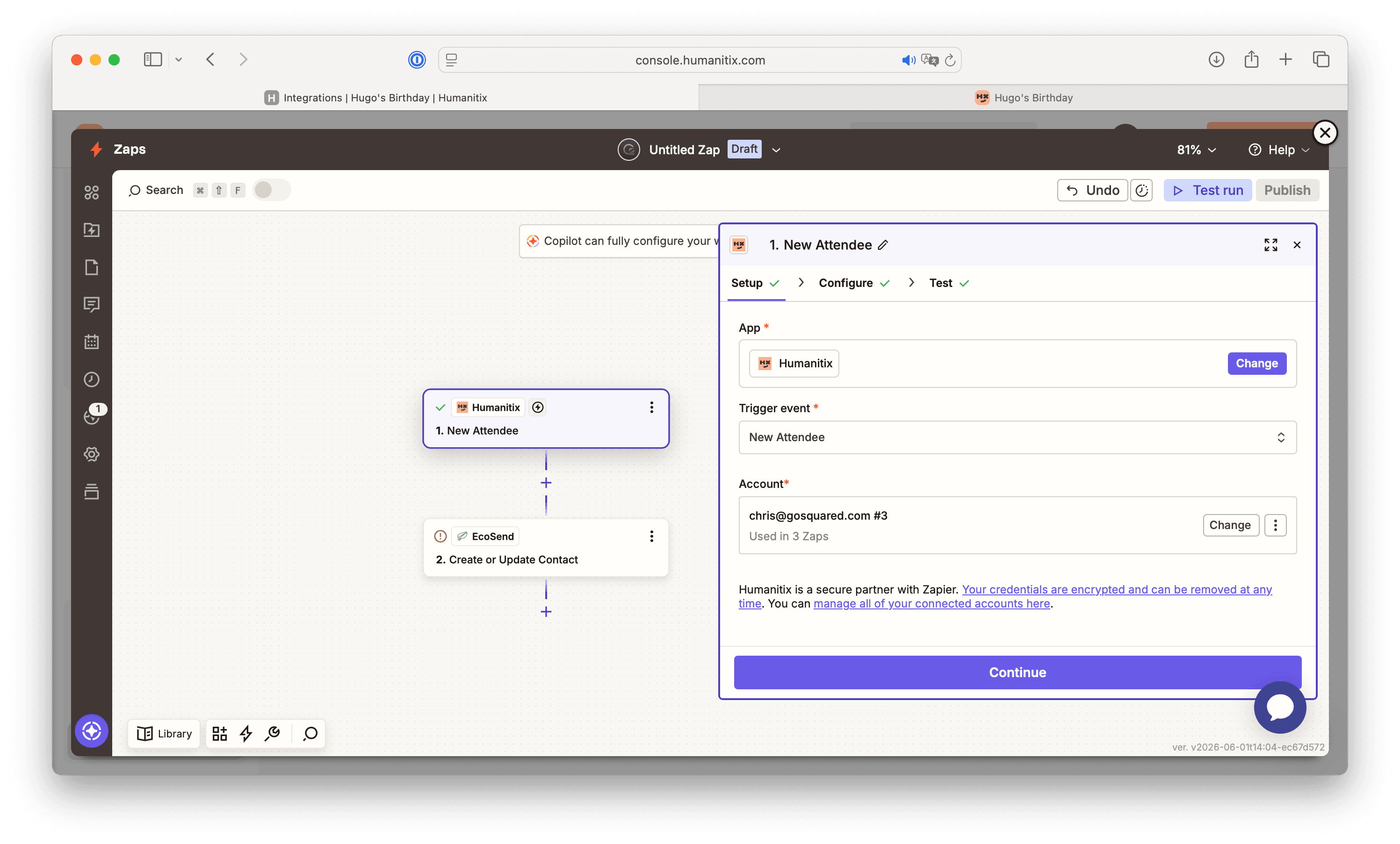
We're using 'New Attendee' in Humanitix as the Trigger, and 'Create or Update Profile' in EcoSend as the Action.
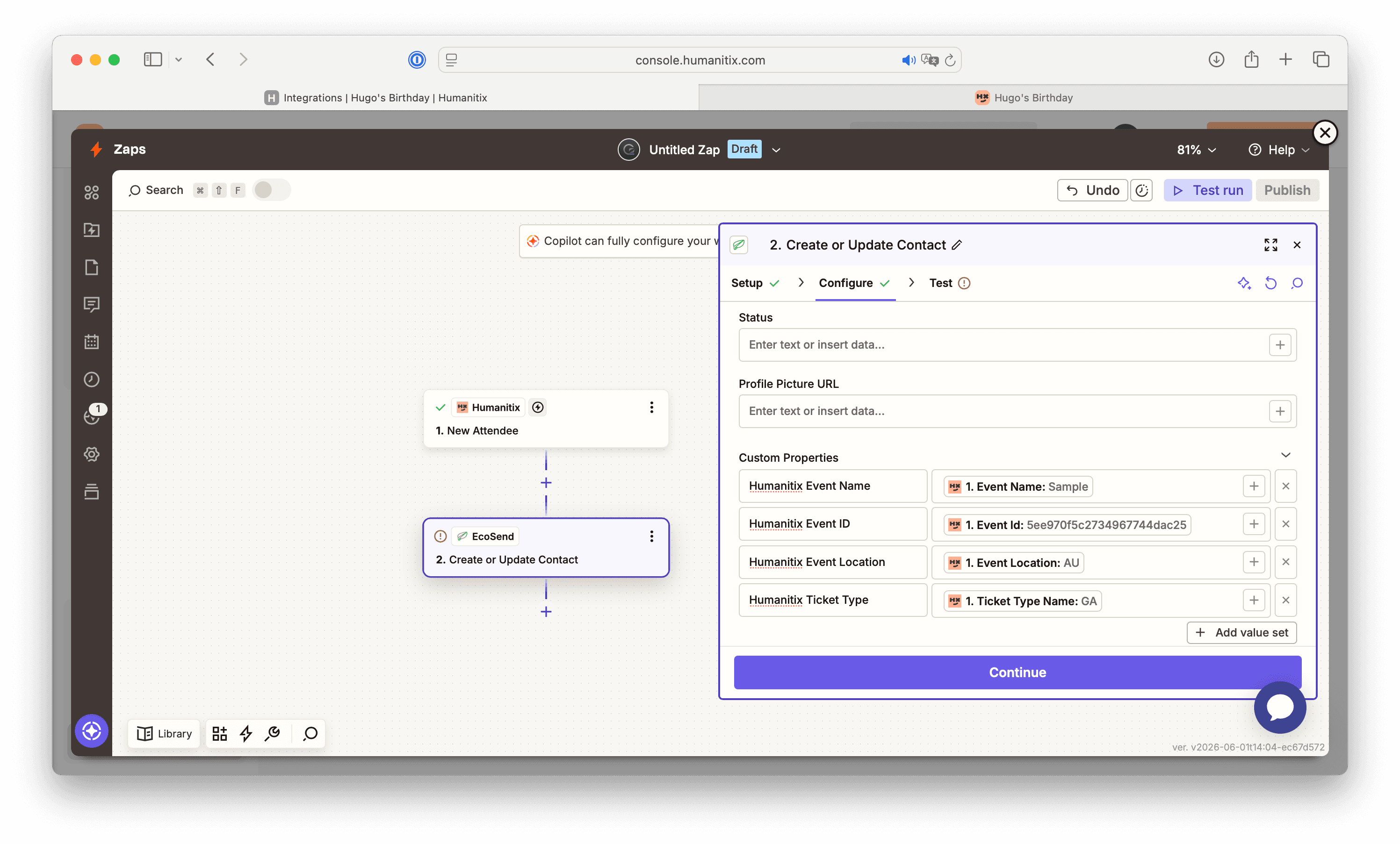
Within the EcoSend Action settings, we can ensure key data from Humanitix is sent through, such as the Attendee's email address and Name.
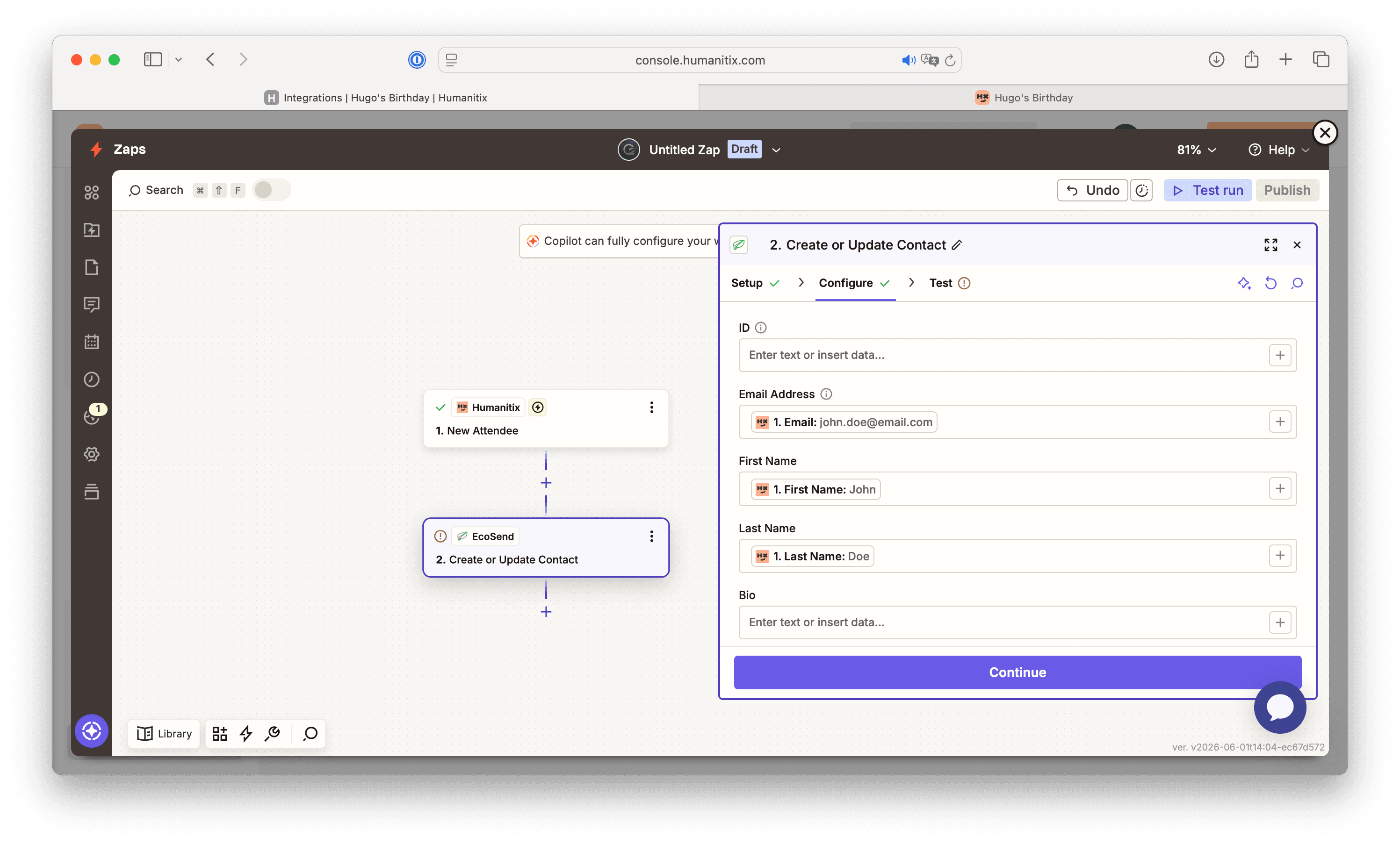
In addition, we can send through important custom property data, such as the Humanitix Order ID, Event Name, Event Location, Ticket type, etc.
This information will be useful for segmentation later on in EcoSend Contacts, using the custom properties as filters to build out Smart Groups.
We could also add a secondary Action in EcoSend, to add the new attendees onto a designated List in EcoSend, such as a Newsletter list, or Ticket Holder list.
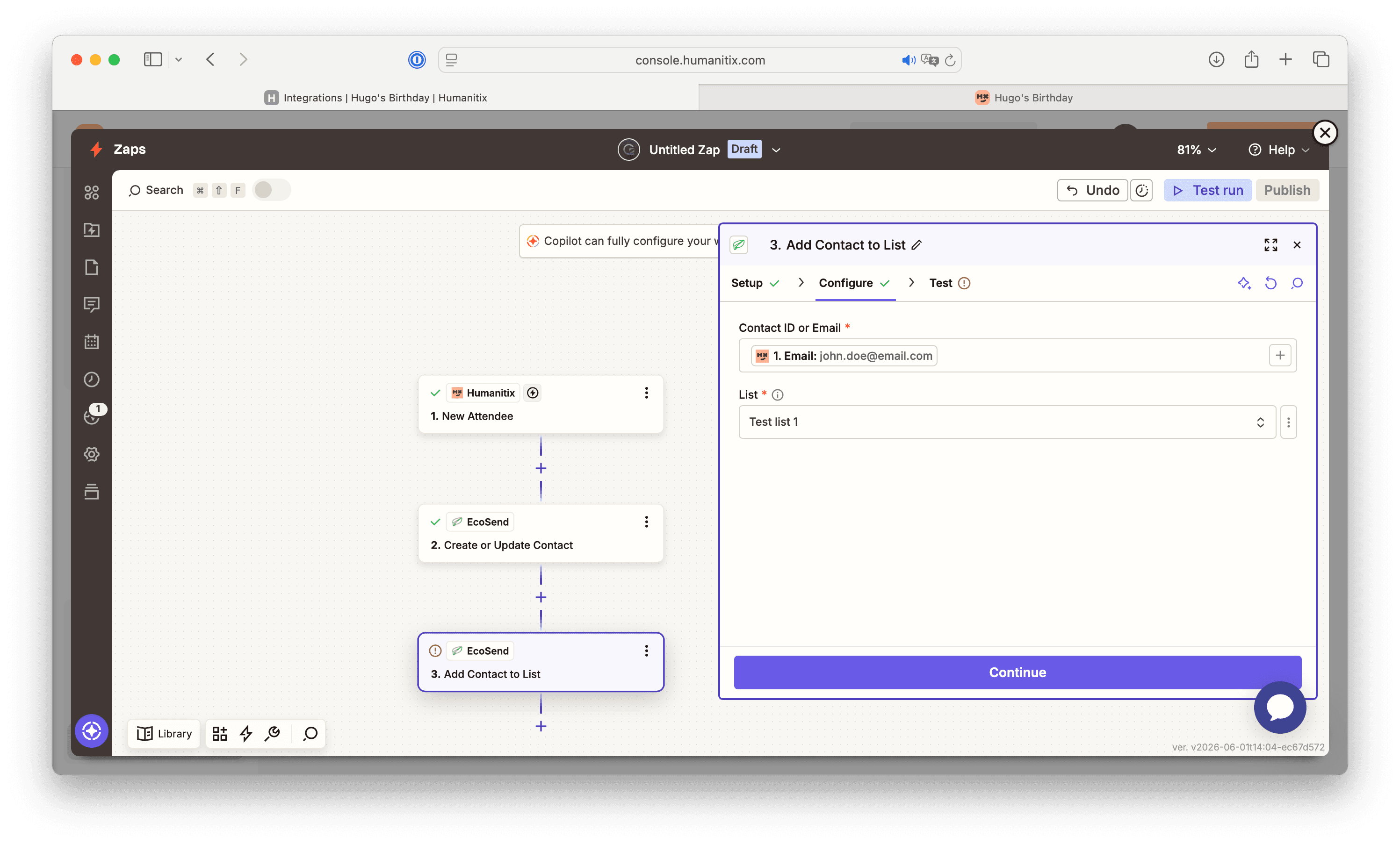
Simply run the tests for each step, then click 'Publish' to set your Zap live, and watch your data flow through from Humanitix into EcoSend! 🎉
We hope you found this support doc helpful. If you have any questions about setting up the Humanitix <> EcoSend integration via Zapier, please reach out to use at hello@ecosend.io 💚
Last updated June 2026