Introduction to Broadcasts
A Broadcast is an email you write once and send to a group of people at the same time. You might know it as a newsletter, a mailshot, or an email campaign. For example, in Mailchimp, the equivalent is called a Campaign.
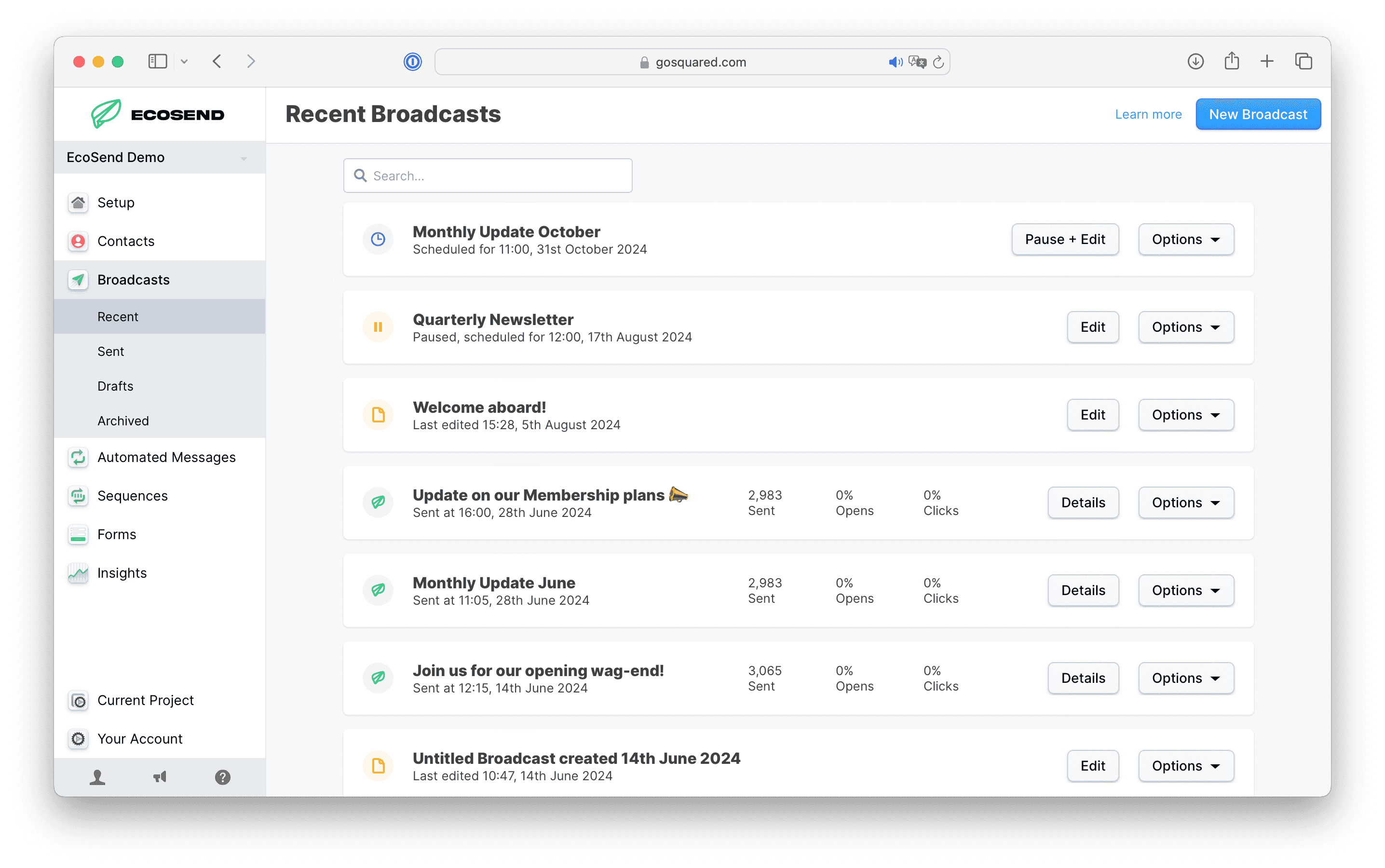
Broadcasts are how most emails get sent in EcoSend. If you're writing an email and choosing when it goes out, you're sending a Broadcast.
What you can send with a Broadcast
Use a Broadcast whenever you have something to say to a group of contacts right now, or at a time you choose. For example:
- A weekly or monthly newsletter
- A product launch or announcement
- An event invitation or reminder
- A seasonal campaign or offer
- A fundraising appeal or update for supporters
How a Broadcast works
Every Broadcast follows the same basic steps.
1. Write your email
Craft your email in the drag-and-drop email builder. You can start from one of our email templates, reuse your Saved Blocks, and personalise your message with Variables, such as each contact's first name.
2. Choose your audience
Use the Audience Builder to choose who receives your Broadcast. You can send to everyone, or filter down to a List or a Smart Group, such as “contacts who are paying customers and attended our last event”.
Contacts who have unsubscribed never receive your Broadcasts, even if they match your audience.
3. Check it before it goes out
Send yourself a test email to see exactly what your recipients will get. Review Mode checks your whole email for common problems, like spelling mistakes, grammar issues, images without alt text, and a missing unsubscribe link.
4. Send now or schedule
Send your Broadcast straight away, or schedule it for a date and time in the future. If you schedule it, EcoSend updates your audience at send time, so anyone who signs up or unsubscribes in the meantime is taken into account. You can pause and edit a scheduled Broadcast at any time before it sends.
Learn more about sending and scheduling Broadcasts.
5. See how it performed
After you send, you can see who opened your Broadcast, who clicked, and which links got the most clicks. Large audiences can take a few minutes to send to, so your numbers fill in as the Broadcast goes out.
Learn more about reviewing your Broadcast results.
6. Follow up
If some people didn't open or click, you can re-send your Broadcast to just those contacts.
Broadcasts, Automated Messages and Sequences
EcoSend has three ways to send email. Broadcasts are the one you send by hand. The other two send automatically, based on what your contacts do.
| Broadcasts | Automated Messages | Sequences | |
|---|---|---|---|
| How it sends | When you click Send, or at a time you schedule | When a contact joins or leaves a Smart Group | A series of emails, starting when a contact joins a Smart Group |
| Who receives it | Everyone in your audience at send time | Each contact, one at a time, when they qualify | Each contact, one at a time, until they finish or stop qualifying |
| Good for | Newsletters, announcements, events, offers | Welcome emails, milestone emails | Onboarding, lead nurture, re-engagement |
If you find yourself sending the same email to each new person who signs up, that's a good sign it should be an Automated Message or a Sequence instead of a Broadcast.
Before you send your first Broadcast
Before you can send a Broadcast, you'll need to:
- Add and verify your sending domain.
- Set up a Sender Profile, so your email comes from your own name and domain.
- Add your privacy policy.
- Have some contacts to send to. You can import them or collect them with Forms.
If any of these steps are missing, EcoSend won't let you send. See the full list of reasons you can't send a Broadcast.
New to EcoSend? Our guide to sending your first email walks you through everything from start to finish.
In this section
Last updated October 2026