Identify regularly bouncing emails
Why should you identify regularly bouncing emails?
Bounces are email messages that could not be delivered within the time period.
Email addresses which regularly record Bounce events over a period of time are likely to be inactive email inboxes.
This can be a natural occurrence over time. Users may sign-up to your newsletter list from a company email address, then move company. Meaning subsequent campaigns to their email address are bounced back.
It is important however, to regularly identify and clean-out frequently bouncing email addresses, as these can cause your Bounce Rate to rise over our recommened 5-10% maximum.
If your project maintains a Bounce Rate above this threshold for a long-period of time, it may compromise your email domain sender reputation.
In addition to identifying which email addresses have recorded bounces from any single Broadcast or Automation, use our Message Behaviour Segmentation feature to identify regularly bouncing email addresses across all your EcoSend campaigns.
How to find 'bouncy' email addresses
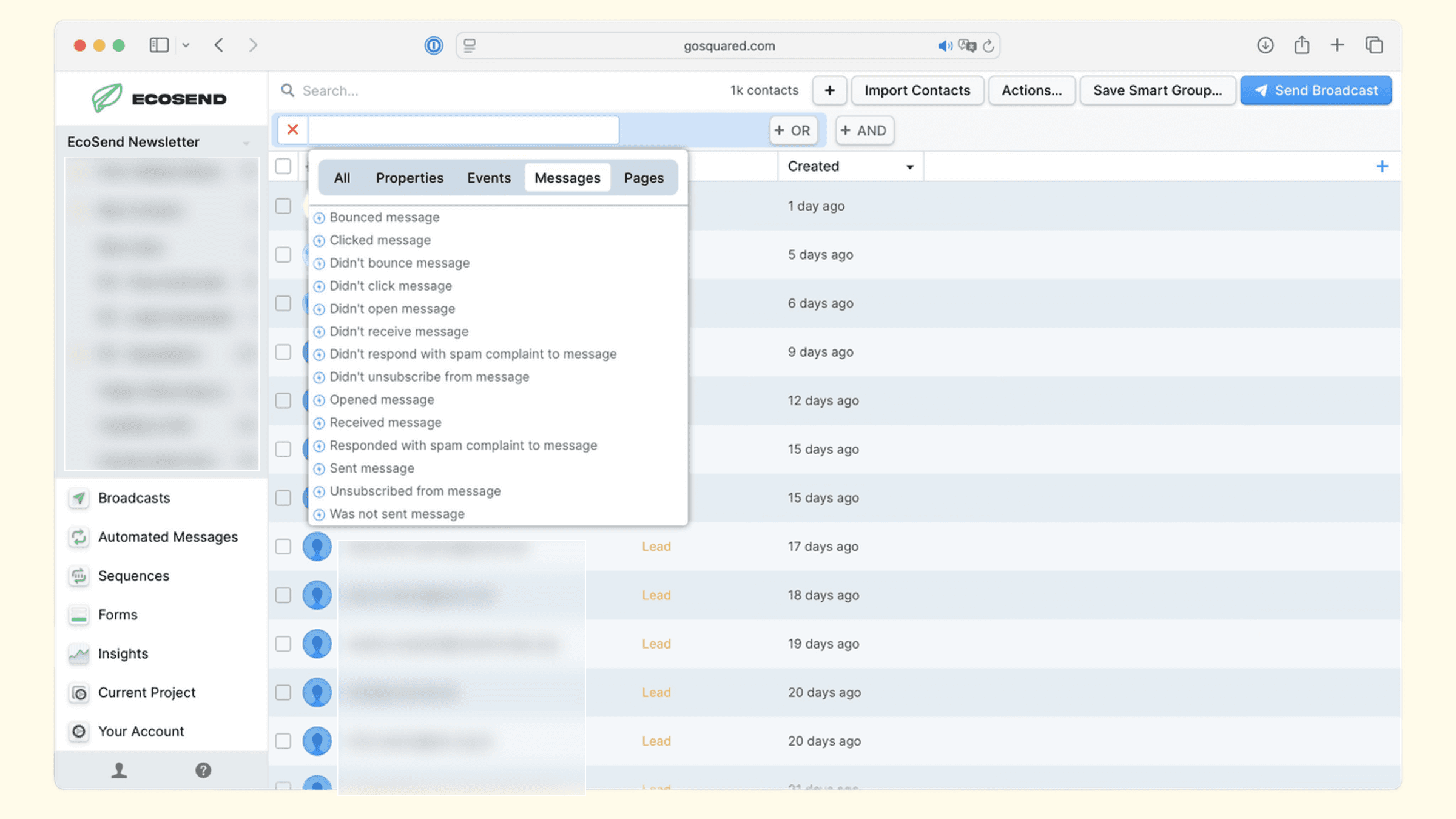
To discover which users are repeatedly bouncing from your campaigns, head to EcoSend Contacts and click Add a filter.
From the options, head to Messages > Bounced message and select your first Broadcast or Automation from the list.
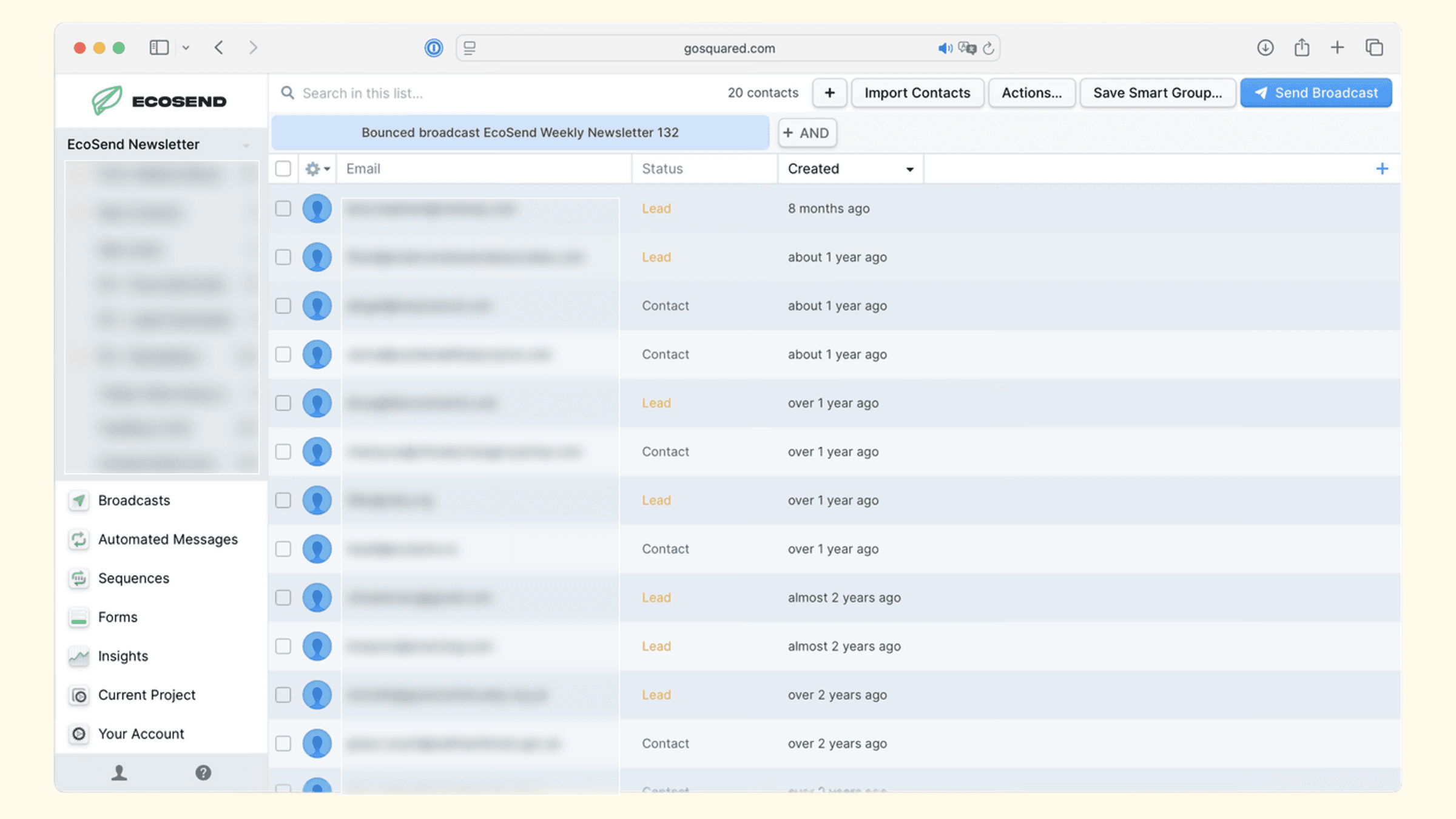
Bouncing from one single Broadcast or Automation however, would not normally be sufficient criteria to purge an email address from your list.
This is because some email addresses may only Hard Bounce temporarily, and could subsequently record successful deliveries on your next campaigns.
Because of that, we recommend adding additional filters for the last 3-4 email campaigns, to pull a Smart Group of regularly bouncing addresses.
To do this, use the AND filter, and select additional campaigns from the dropdown.
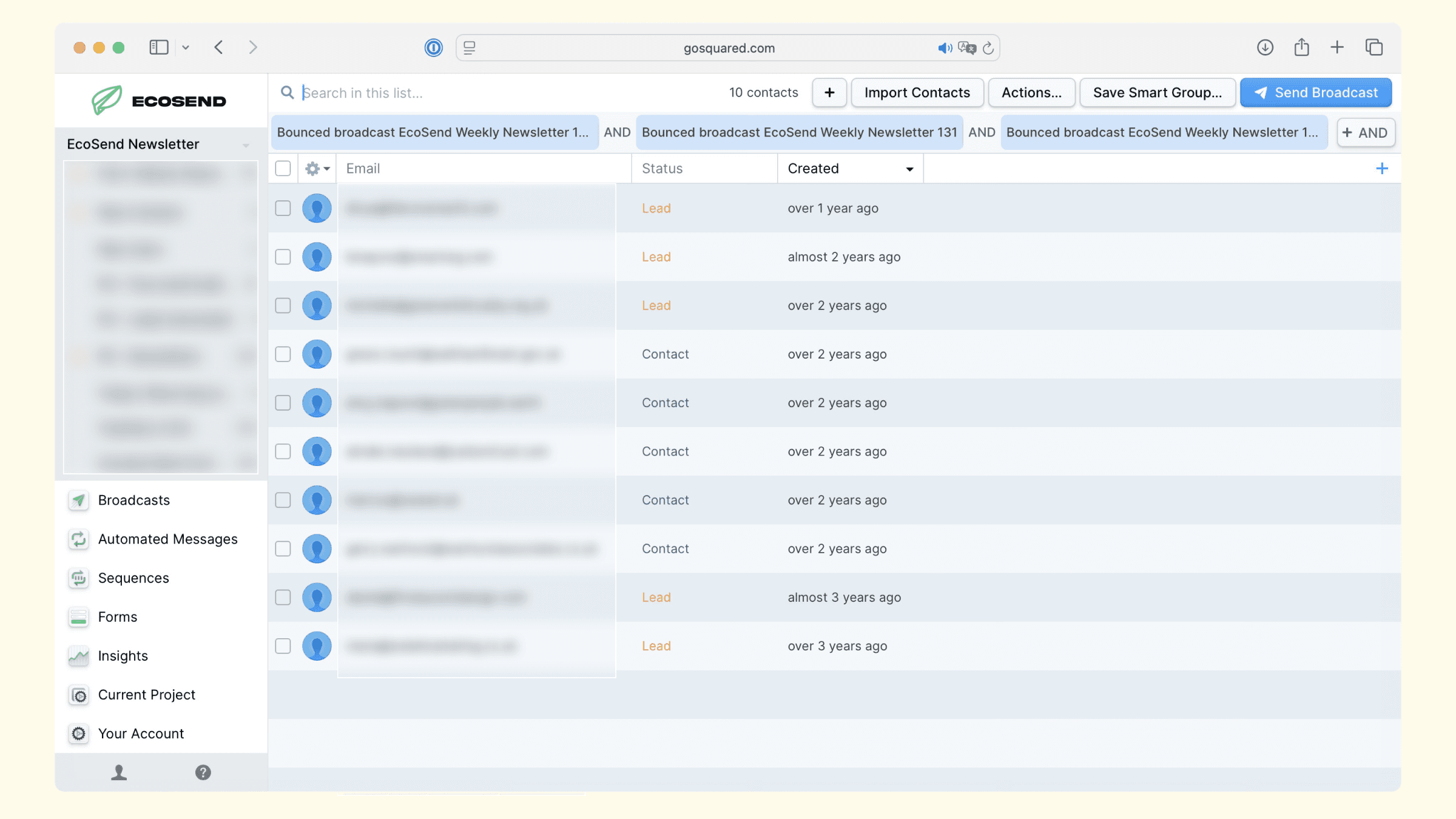
If you are confident that the email addresses in your list have bounced consistently over a sufficient period of time, you can remove them from your database.
Before doing this, we recommend first hitting Actions > Export to save a CSV file of the data. You can then proceed to Actions > Delete to remove the profiles permanently; keep your list clean and your Bounce Rate healthy 🎉
For more tips on scrubbing your email list, check out our best-practice guide here.
Last updated June 2026