How to send PDF campaigns
EcoSend does not currently offer in-platform PDF hosting, but it is a feature we may add in the future! In the meantime, you can host your PDF campaigns via a separate provider, and link to them in your EcoSend campaigns.
Sending PDF campaigns via hosted links
First, setup the host for your document online and then link to it via a button or hyperlink within your EcoSend campaign.
You can host the PDF on your:
- Website
- Resource centre
- Cloud storage (such as Google Drive, Dropbox or OneDrive)
- Any publicly accessible webpage
Once your PDF is available online, simply add a Call-to-Action (CTA) button or text hyperlink within your EcoSend campaign.
For example:
📄 Download our Annual Report
or
👉 Read the Full Guide
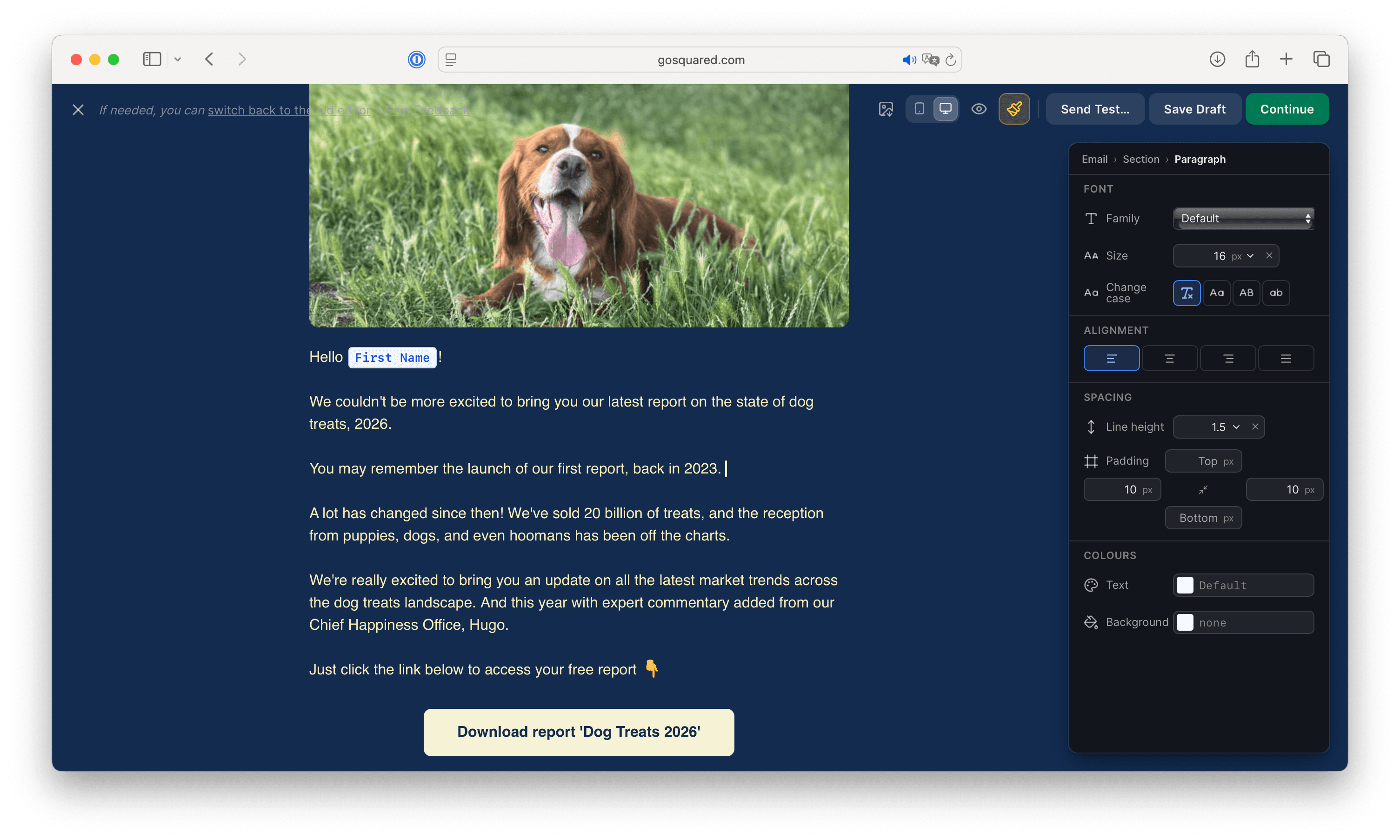
This keeps your email lightweight while still giving recipients easy access to the document.
Benefits of sending via hosted links
Hosting your PDF online offers several advantages beyond sustainability:
- Always up to date. If you need to make changes to the document, you can replace the hosted file without sending another email.
- Better analytics. You can track button clicks to see how many recipients were interested enough to view the document.
- Faster email delivery. Smaller emails are generally delivered more efficiently and are less likely to encounter size-related issues.
- Improved accessibility. Recipients can choose whether or not to download the document, rather than receiving a potentially large attachment automatically.
Last updated August 2026